
Almost every restaurant owner who asks about QR ordering asks the same second question: "do I have to change my POS?" And when the answer is yes, the conversation usually ends there. Not because QR ordering is unconvincing, but because the cost of switching is real and immediate while the benefit is gradual.
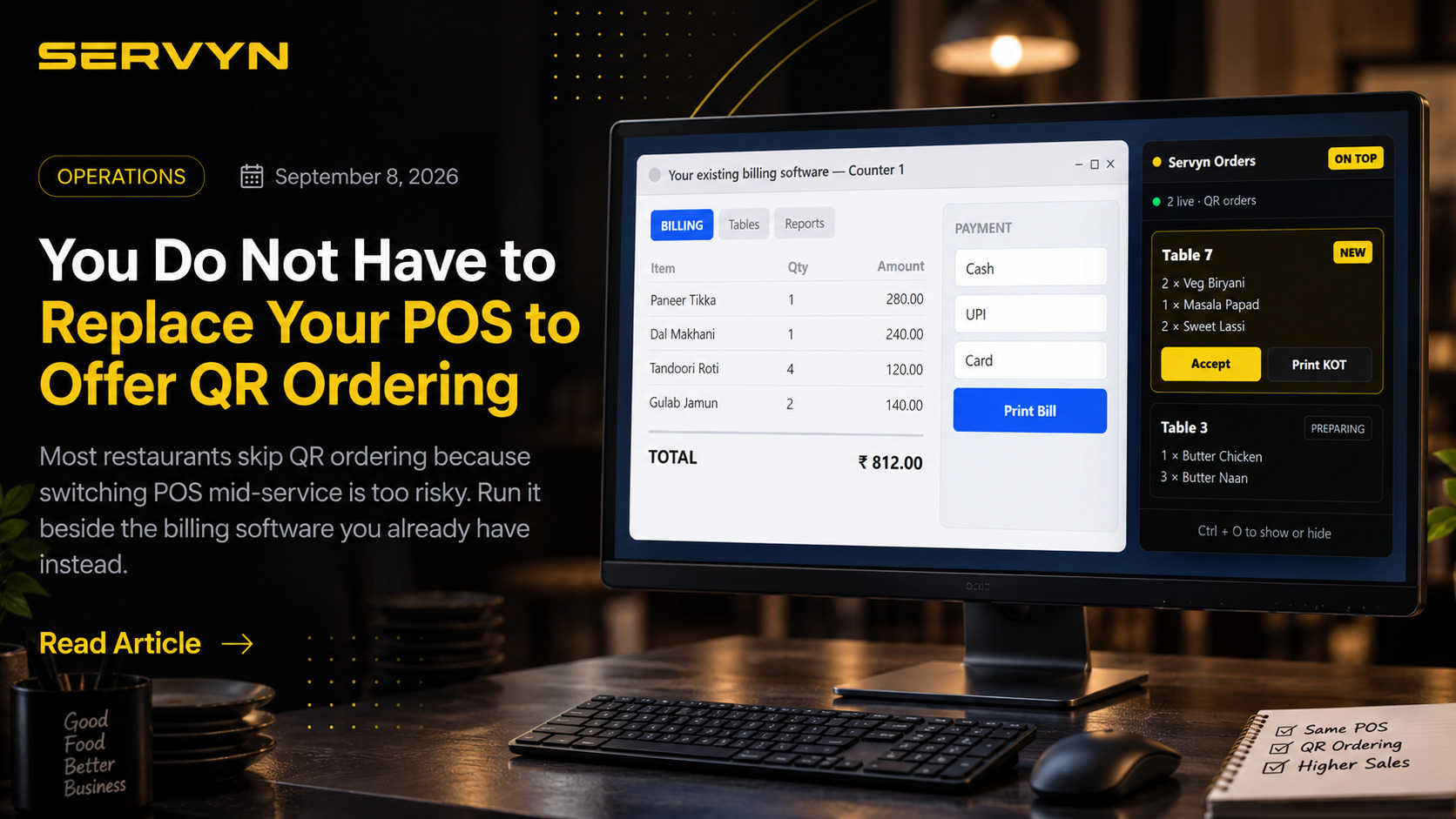
In short: you can keep the billing software your staff already know and run QR ordering beside it. Guests scan and order, the order appears in a small always-on-top window on the same Windows PC, and your cashier settles the bill in the POS they have used for years.
Why "just switch your POS" is bad advice
A POS changeover is not a software install. It is retraining every cashier, re-entering the entire menu with its variants and taxes, moving historical sales you may need for GST filing, reconfiguring the thermal printer and cash drawer, and carrying the risk that something breaks at 8pm on a Saturday.
Owners weigh that against "it would be nice if guests could order from their phones" and reasonably conclude the QR ordering can wait. The mistake is not the decision. The mistake is assuming those are the only two options.
The third option: run them side by side
QR ordering and billing are two different jobs. Taking the order is what happens at the table; settling it is what happens at the counter. There is no technical reason the same software has to do both.
Servyn Desktop is a Windows application that does only the first job if that is all you want. Your existing POS keeps the full screen, the cash drawer and your day-end reports. Servyn adds a compact orders window that floats above it:
What the popup does on its own
A new QR order arrives with an audible chime and a NEW badge. Without opening any dashboard, a staff member can:
- Accept the order, so the guest's phone shows it was received
- Print a KOT straight to the thermal printer already attached to that PC
- Move it along through preparing and served
- Mark it paid once the cashier has settled it
Press Ctrl + O to hide the window when you want the screen back, and again to bring it up. It can also be launched in an orders-only mode where nothing but the popup ever appears.
What stays exactly where it is
The bill, the cash drawer, your GST exports and your day-end Z report do not move. Staff read the items off the popup and punch them into the POS to settle — the same motion as taking an order written on a chit, except the chit is legible, correctly priced, and already in the kitchen.
That matters more than it sounds. Illegible handwriting and mis-heard modifiers are a genuine source of wastage in Indian kitchens, and they are the first thing that disappears when the guest types the order themselves. See our guide to KOT systems for why the ticket itself is worth fixing even if nothing else changes.
The honest catch: you will key some orders twice
If billing stays in your old POS, an order that arrives by QR is entered there again at settlement. On a busy counter that is real work, and any vendor who tells you otherwise is selling you something.
Whether it is worth it depends on your mix. If a third of your covers order by QR, the time saved not walking to tables to take orders usually exceeds the time spent re-keying. If two tables a night use it, it probably does not — and that is fine, because you have risked nothing to find out.
It also gives you a genuinely low-stakes way to evaluate a POS before committing to it. You run the QR ordering for a month alongside your current system, see whether your guests actually use it, and only then decide whether to move billing across. If you do, the menu and QR codes you already set up carry over unchanged. If you do not, you turn off one Windows application.
Does this work with Petpooja, Posist, or a local billing package?
Yes, because there is no integration to build. Servyn does not read from or write to your existing POS — it runs as a separate window on the same computer. That is precisely why it works with billing software that has no public API, including the offline packages a lot of Indian restaurants still run. If you are actively comparing systems, our guide to evaluating Petpooja alternatives covers what actually differs between vendors.
What you need to get started
- The Windows PC your billing software already runs on — no second machine
- The thermal printer already attached to it, if you want KOTs
- Your menu entered once in Servyn, and printed QR codes for the tables
The desktop app ships the ordering app inside the installer and serves it locally, so a broadband outage does not blank the popup mid-service. Queued actions sync when the connection returns — the same design covered in offline mode.
The point
"Change everything or change nothing" was always a false choice. Ordering and billing are separable, and separating them lets you add the part your guests notice without touching the part your staff depend on. See exactly how it fits on QR ordering alongside your existing POS, or read the POS buyer's guide if you have decided to switch after all.